Instant Checkmate has been in this space longer than most of its competitors, and the product shows it. Of all the people-search services I've tested over 13 years in this industry, Instant Checkmate consistently returns the deepest record coverage — particularly on criminal history, civil court filings, and address chains that go back further than most aggregators bother to pull. It's not the flashiest interface, but the data underneath it is hard to match.
For this review I ran multiple searches across different name types: a common surname to test how the service handles filtering, and a less common name to assess report depth. I'll walk through each section of what a report contains, where the data held up, where it fell short, and how it compares to the alternatives.
Before running any search, write down everything you already know about the person: full name, approximate age, last known city, any known relatives. Having that context on hand cuts the time spent filtering results significantly.
What works well
- Broadest record depth of any service I've tested — criminal, traffic, civil, address, and relative data in one report
- Source citations on report entries — you can see where each data point came from
- Dark web monitoring included at no extra cost on current plans
- Unlimited searches on a subscription — no per-report fees
- Mobile app available for iOS and Android
Limitations to know
- Interface is denser than TruthFinder — takes a few searches to get oriented
- Common names require manual filtering through a long result list
- Processing time is one to two minutes per report — comparable to competitors
- Pricing is on the higher end; fluctuates — confirm current rate before subscribing
How an Instant Checkmate search works
The search flow is straightforward: enter a name, add a state if you have it, and Instant Checkmate pulls from its aggregated sources — public records, court filings, address registries, and more. Processing takes one to two minutes. The results page returns a list of matching records; you filter by age, location, or middle name to find the right one, then open the full report.
Dashboard
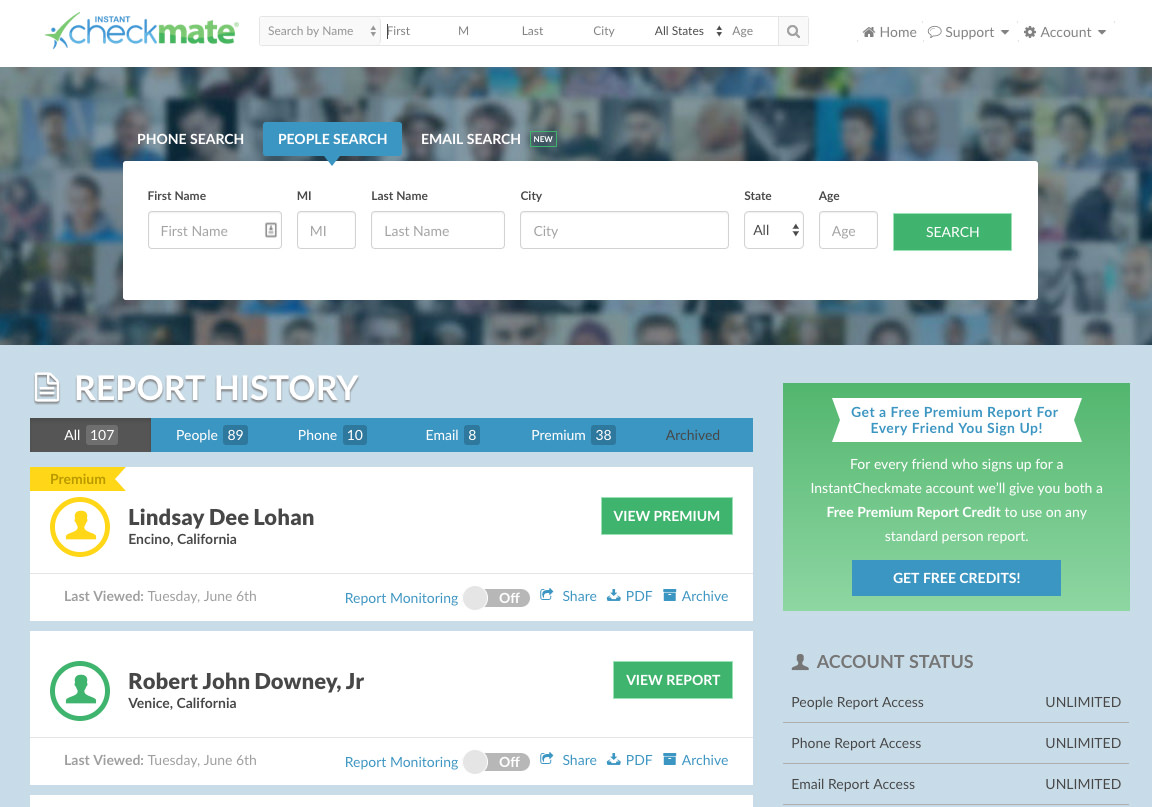
One of the most striking features of Instant Checkmate is the dashboard. It's neatly organized, and all the reports you've pulled recently are listed in order. If you're running multiple searches across a session it keeps everything easy to find.
Search results page
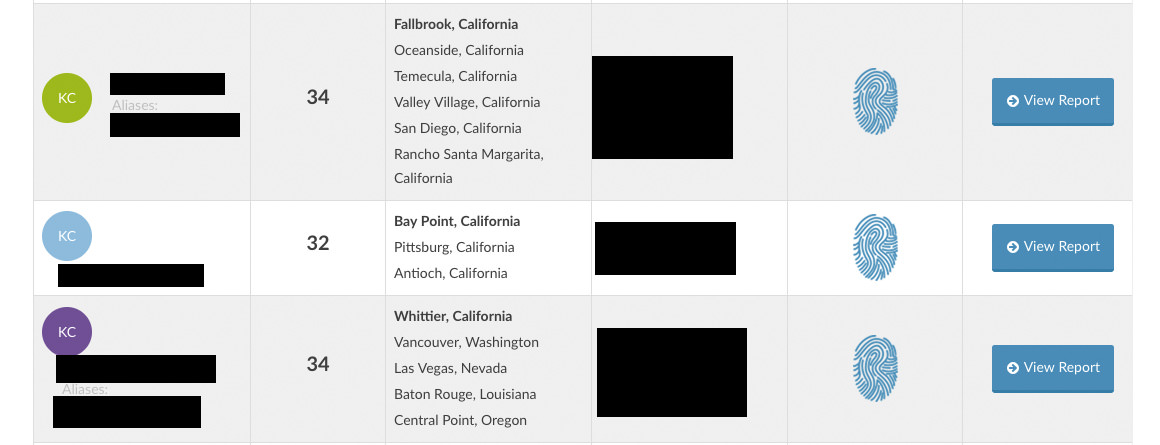
When I searched a name and state, I was presented with a results page showing multiple people with the same name. The results page also lists age, cities people have lived in, and known relatives — which helped me narrow down to the right record without opening a full report on each one.
What the report covers
The report page is well organized. All data appears on a single long page with a navigation bar on the left that shows which section you're in and how much of the report you've seen. You can jump to any section directly.
Timeline
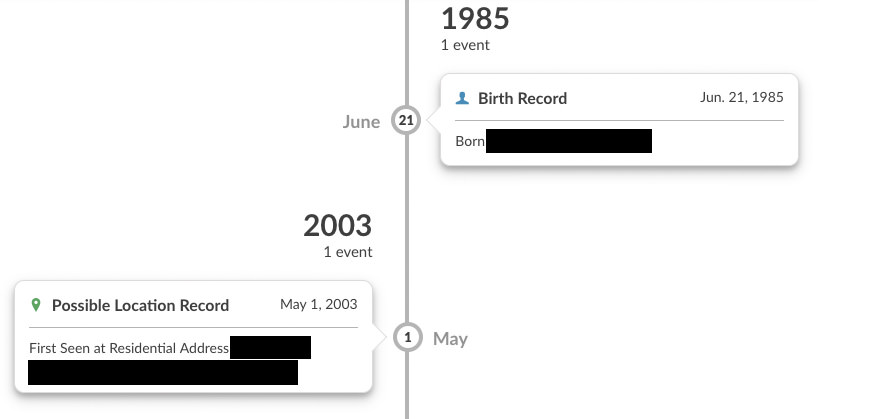
One of the more distinctive features is the Timeline — all events in the report (birth, criminal and traffic records, address changes) listed in chronological order. It gives you a quick read on someone's history before diving into individual sections.
Personal information
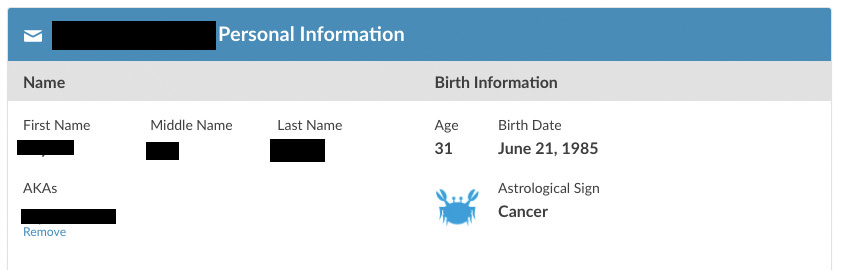
Reports open with name, known aliases, date of birth, and in some cases a photo if one is available from public sources. The alias coverage is strong — maiden names, nicknames, and name variations surface here. In my test, the basics were correct including job and education history.
Relatives and associates
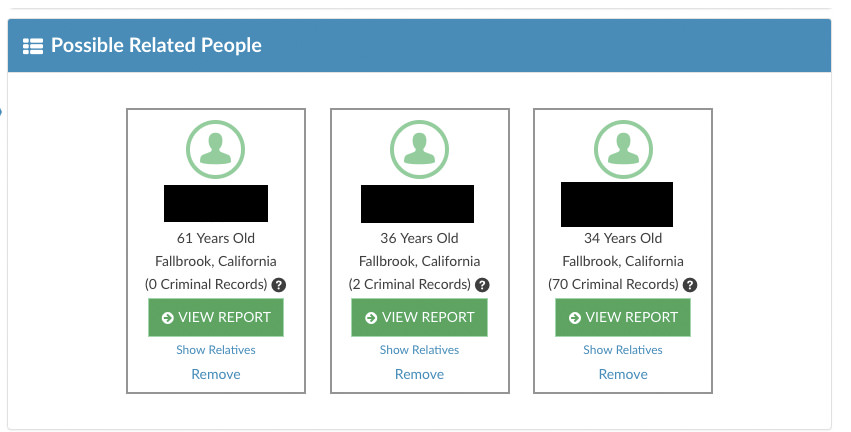
The relatives section maps known family members and associates, with links to run searches on each. Useful when you're trying to find someone's relatives or trace a connection. In my testing the relative mapping correctly identified the family members I could confirm independently.
Contact information
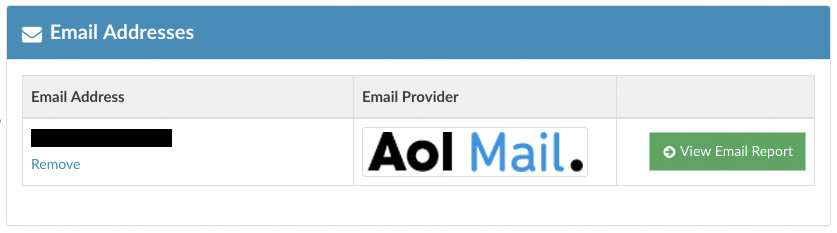
The contact section showed two phone numbers — one older and one current — and the current email address. Having that confirmed against a source I could verify is a good sign. Phone data is the most variable category across all services; Instant Checkmate performs better than most here.
Location history
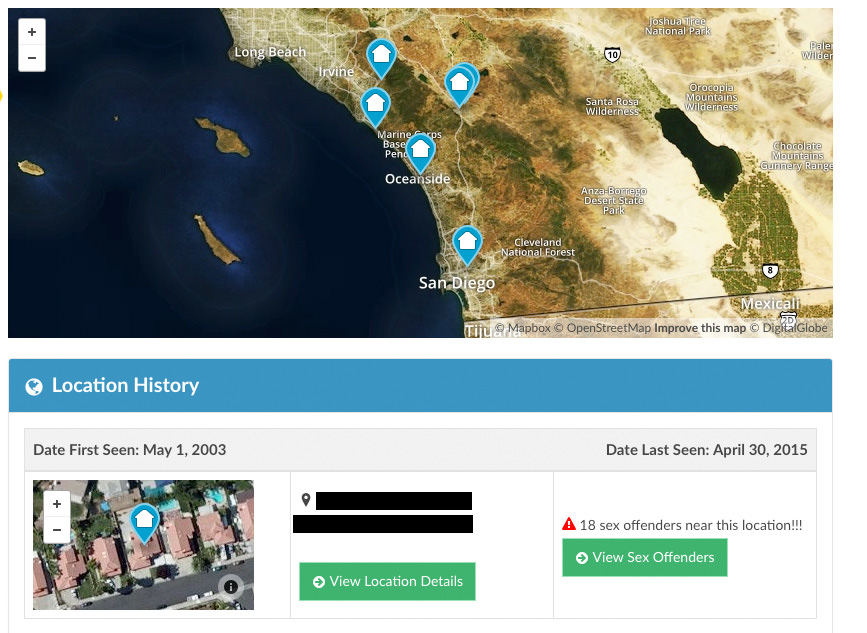
Address history is extensive. In my testing, Instant Checkmate pulled addresses going back further than competing services on the same subject. Each address is dated and plotted on a map. Clicking "View More Location Details" opens a deeper location report with neighbors and current residents. This is the section I'd start with if you're trying to find someone's address.
Criminal and traffic records
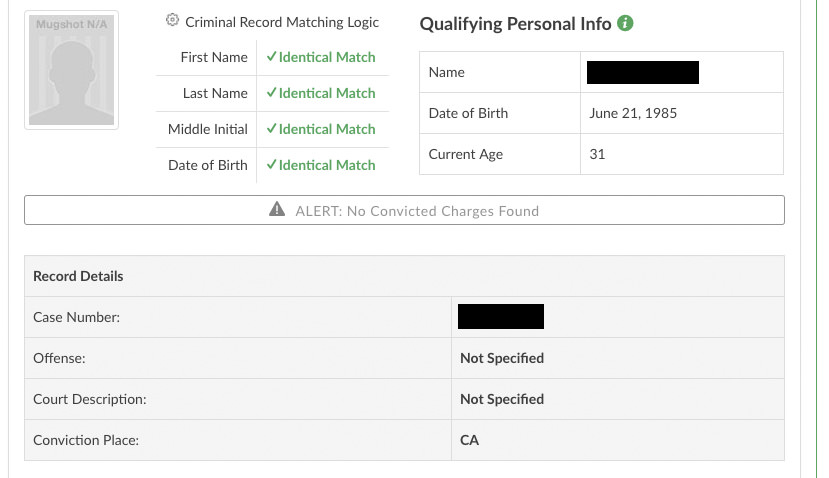
This is where Instant Checkmate earns its top ranking. The criminal and traffic record coverage is the broadest I've seen at this price point — it pulls from state repositories, county-level court records, and sex offender registries. Entries include charge, jurisdiction, disposition, and case number where available. I'd still verify anything serious against official court records before acting on it. See our full criminal record search guide for what's typically available through official channels.
Civil records and financial information
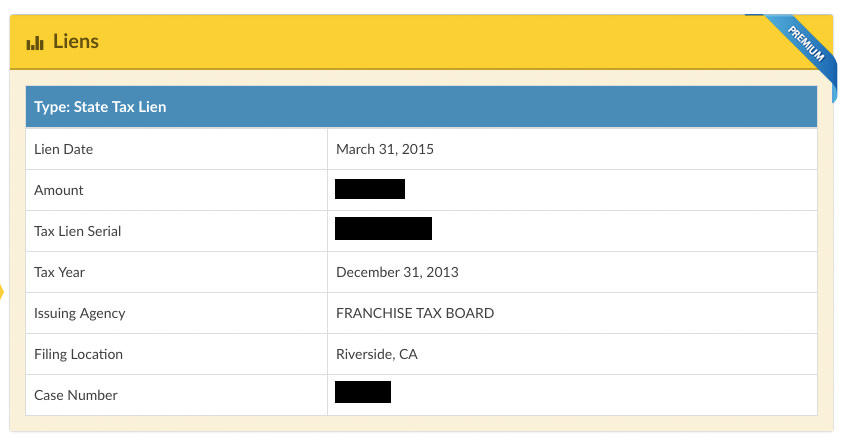
Beyond criminal history, Instant Checkmate pulls civil court filings — judgments, liens, and bankruptcy records where available. In one test I found a tax lien that I could independently confirm. This is a category where a lot of competing services are thin, and it's one of the clearest differentiators for Instant Checkmate.
Source transparency
One feature that distinguishes Instant Checkmate from most competitors: report entries include source citations. You can see which jurisdiction or database a piece of information came from. That makes it easier to know whether you're looking at a verified court record or a less reliable aggregated entry, and gives you a clear path to the official source if you need to verify further.
Dark web monitoring
Current plans include dark web monitoring — alerts if your name or personal information appears in known data breach repositories. This is primarily a self-monitoring feature rather than a research tool, but it's a meaningful addition at no extra cost.
Additional features
Mobile app
Instant Checkmate offers iOS and Android apps. The mobile experience is well implemented — search and report viewing work cleanly on a phone screen, which isn't always the case with services that were built desktop-first.
Reverse phone and email lookup
Beyond name searches, Instant Checkmate supports reverse phone lookups and email searches. These are useful when you have a contact detail but not a name — a common scenario when trying to identify someone online.
PDF report access
Reports can be downloaded as PDFs for a small additional fee per download. Useful if you want to store or share a report outside the platform.
Pricing
| Plan | Cost |
|---|---|
| 1 month | ~$34.78/month |
| 3 months | ~$28.05/month (billed quarterly) |
Instant Checkmate's pricing fluctuates and promotional rates are common. The figures above are approximate — confirm the current rate on their site before subscribing. Both plans include unlimited searches. There is no per-report option for standard name searches.
How Instant Checkmate compares
Instant Checkmate holds the top spot in my rankings primarily because of record depth — particularly criminal and civil coverage. The interface is denser than TruthFinder, which some users find less approachable on first use. If your priority is the broadest possible data sweep for researching a person online or doing thorough background research, Instant Checkmate is the right tool. If you want something cleaner and simpler for occasional lookups, TruthFinder is a strong alternative at a slightly lower price point.
Neither service should be used for employment screening, tenant decisions, or any other FCRA-regulated purpose.
Bottom line
Instant Checkmate is the most complete people-search service I've tested. The criminal and civil record coverage is deeper than competitors, source citations make it easier to evaluate what you're looking at, and the dark web monitoring adds real utility beyond a standard report. The interface takes a little getting used to, and pricing is on the higher end — but for serious research rather than occasional lookups, it's worth the difference. If you're doing a one-off search and want something faster to navigate, start with TruthFinder and see if the results are sufficient before committing to a subscription here.
Frequently asked questions
What makes Instant Checkmate different from other people-search services?
The main differentiators are record depth and source transparency. Instant Checkmate pulls from a broader range of court and public record sources than most competitors — including civil filings that many services skip — and it cites the source for individual report entries so you can trace where a data point came from. That combination makes it more useful for thorough research rather than quick lookups.
Is there a free trial or single-report option?
Instant Checkmate operates on a subscription model — monthly or quarterly — with unlimited searches during the subscription period. There is no standard per-report purchase option. Promotional trial offers appear periodically; check the current site for what's available. If you only need one or two searches, factor whether a full subscription makes sense for your use case before signing up.
Can I use these searches for jobs, housing, or insurance decisions?
No. The services discussed on this page are not consumer reporting agencies and the information here is not a consumer report. They should not be used for employment, tenant screening, insurance underwriting, credit, or any other purpose regulated by the Fair Credit Reporting Act.
Ready to run a search?
Visit Instant CheckmateNot for employment, tenant screening, insurance, credit, or any FCRA-regulated purpose.